
search engine

Custom Search
Sunday, 10 May 2009

Saturday, 2 May 2009
Windows Vista Home Premium

Product summary
The good: Windows Vista Home Premium does improve some features within Windows XP; fewer system crashes than Windows XP; and Windows Vista offers better built-in support options.
The good: Windows Vista Home Premium does improve some features within Windows XP; fewer system crashes than Windows XP; and Windows Vista offers better built-in support options.
The bad: Windows Vista Home Premium does not put Search on the desktop (it's buried within applications, within the Start Menu); no new software yet written exclusively for Windows Vista; optimized only for the Microsoft Windows ecosystem (for example, RSS feeds from Internet Explorer 7 get preferential treatment); Tablet PC support unnecessary; fax and scan support missing; and there are too many editions of Windows Vista.
The bottom line: Windows Vista Home Premium is essentially warmed-over Windows XP Home Edition. If you're currently happy with Windows XP SP2, we see no compelling reason to upgrade. On the other hand, if you need a new computer right now, Windows Vista Home Premium is stable enough for everyday use.
Specifications: License qty: 1 PC ; License type: Complete package ; Min hard drive space: 40 GB ; See full specs
Price range: $101.98 - $229.99 check prices
CNET editors' review
Reviewed by:Robert Vamosi
Reviewed on: 01/24/2007
Released on: 01/30/2007
Windows Vista is Microsoft's first new operating system in more than five years and the successor to Windows XP. However, it is not worth rushing out to purchase. If you desperately need to buy a new PC (if your old one died or you've been waiting and waiting for Vista to be released), then by all means do so; there's nothing wrong with Windows Vista. But there's no one compelling feature within Windows Vista that cries out to switch over, neither the enhanced graphic capabilities (Aero) nor the improved system performance features (truthfully, our Windows XP doesn't crash). As for security, Microsoft's biggest improvements in Windows Vista are within the Enterprise or 64-bit editions, editions most home users will not be running. Windows Vista is not the Apple Mac OS X 10.4 killer one hoped for (or feared). Nor are there specific big-name software packages written exclusively for Windows Vista--most software available today is compatible with both Windows XP and Windows Vista. But the extensive tie-ins to Microsoft.com and Live.com, and the many, many interdependences upon Internet Explorer 7 left us desperately wanting more (and often best-of-breed) alternatives. Hard core Microsofties who live and breathe within the MSN, Live.com, and Microsoft desktop software ecosystem will rejoice with the release of Windows Vista, but for the rest of us who are product agnostic, who use Firefox, Google Desktop, ZoneAlarm, GMail, and Corel WordPerfect, Windows XP SP2 will suffice nicely until some killer program necessitates that we all upgrade to Windows Vista.
There are six major editions of Windows Vista; we're reviewing four. We chose not to review Windows Vista Enterprise (available only to volume license customers) and Windows Vista Starter (available only outside the United States). Windows Vista Ultimate includes everything, and this is the edition getting the most promotion from Microsoft. It is not the edition most people will find packaged on their shiny new PCs or will end up with after an upgrade of existing hardware. See our feature comparison chart to know which edition is right for your specific needs, and check the following individual reviews for more details:
Setup and installation.The Windows Vista DVD disc includes a Windows Imaging (WIM) format of the code, so whether you buy the Home Basic edition or the Ultimate edition, the code remains the same; only the product key unlocks your specific set of features. This means users who opt for the lesser editions can always upgrade (assuming they have the proper hardware) by downloading some additional code and securing a new product key online. However, all features--even if you paid for them--are dependent on specific hardware configurations being present; if you don't have the proper graphics hardware, for example, you'll simply never see the Aero graphic effects on that old Dell computer in your basement.
Hardware requirements for Windows Vista should not be taken lightly. In a controversial move to garner positive reviews, Microsoft sent hundreds of bloggers (not including CNET) free copies of Windows Vista Ultimate; Microsoft did not send boxed copies, rather the software giant sent top-of-the-line Acer Ferrari laptops with the operating system preinstalled. So even Microsoft seems to admit that the best performance is only available on top-of-the-line machines manufactured within the last year or so.
That said, many people will still want to upgrade their current Windows XP SP2. This will keep all your current data and applications, importing them directly into the new operating system. Most people will find either Windows Vista Home Basic or Windows Vista Home Premium to be their best choice. While Windows Vista does make a backup of your previous operating system before installing, it is always recommended that you backup your current Windows XP system yourself, just in case.
Rather than upgrade, we recommend you perform a clean installation. With a clean installation, you keep all your current on the Windows XP drive and install only the data and applications you want to run on Windows Vista. A clean install can be accomplished by buying a new PC with Windows Vista already installed, partitioning an existing Windows XP machine to dual-boot into Windows Vista, or adding a new hard drive to an existing Windows XP machine.
Our clean installations took anywhere from 20 minutes to an hour, depending on the hardware in the system. It's pretty much an automated process, with the installer first copying the WIM image onto the new hard drive or partition then expanding that image. Once again, we experienced an uncomfortably long plateau at "Expanding: 27 percent"; as with previous builds, we waited between two and five minutes before the expansion continued. About halfway through, the installer reboots and continues the installation in Windows Vista.
During the installation, Windows Vista will load the drivers included within the installation image, but it will also download additional drivers from a much larger database at Microsoft. This assumes, however, that one has an always-on Internet connection; dial-up users may find that upon completion of the installation process some drivers are missing.
Once fully installed, Windows Vista first asks for your country or region, then time and currency, and, finally, the desired keyboard layout. Next, you'll choose a username, a user icon, and a password. Then select your desktop wallpaper and security settings: Automatic, Install Important Updates Only, or Ask Me Later. After reviewing the computer's time and date settings, there's one more message: "Please wait while Windows checks your computer's performance." Here, Microsoft grades your computer on a five-point scale, with the overall rating based on your system's lowest score (in our case, that was for the video card).
Windows Vista includes new musical tones written by veteran musician Robert Fripp. Compared to the familiar start-up tones of Windows XP, Windows Vista's are lighter, almost spritely. The sounds for User Account Control and Log Off are also perkier than those found in similar security warnings within Windows XP.
New on the Windows Vista desktop is a Welcome Center which contains links to frequently asked questions such as, "How do you configure your printer?" and "How do you connect to your Internet service?" There is also room for some sales opportunities, either with manufacturer specials or online offers from Microsoft, such as the Windows Live OneCare service. Frankly, we think it is better for you to look beyond the Windows ecosystem for e-mail, Internet browsers, and security applications.
After closing the Welcome Center, you'll notice to the far right there is a shaded sidebar populated with three example Gadgets ("widgets" to everyone else), tiny desktop applets that display content, such as RSS feeds. In one Gadget, a slide show of images from the sample photo library display; in the next, the current time; finally, there's a Gadget for subscribed RSS feeds. We downloaded and installed Firefox 2, made Firefox our default browser, and quickly set up a few RSS feed subscriptions. Guess what? The Windows Vista Gadget was unresponsive to our efforts, displaying only the default MSN feeds from Microsoft. Microsoft says the default RSS Gadget feeds off a common store of RSS feeds within Windows Vista, and Firefox hasn't yet adopted the API for that store. You have to use Internet Explorer 7 or choose a Firefox-friendly Gadget instead. By clicking the + symbol atop the sidebar, you'll see a panel of available Gadgets, with a link out to the Web to find even more. The Gadgets are not fixed to the sidebar; they can be dragged across the desktop. And even the sidebar itself can be disabled to allow for a full desktop view. An icon located within the taskbar will restore the sidebar at any time.
The familiar Start menu features some cosmetic changes for Windows Vista. Aside from the distinctive rounded icon, the Start menu now includes a built-in Search function. We would have preferred to have access to Search directly from the desktop rather than digging down a level or two. The All Programs list now displays as an expandable/collapsible directory tree, something Windows should have offered years ago. The new Start menu is divided in half, with access to documents, pictures, music, games, recent items, My Computer, network, Control Panel, default programs, and Help along the right-hand side.
Also new within Start is an Instant Off button. This button caches all your open files and processes, allowing you to turn off your laptop or desktop quickly without all the "cleaning up files" messages you see in previous versions. We like the feature, but on our Acer Travelmate 8200, Instant Off and closing the lid to hibernate sometimes produced limbo states where the laptop simply wouldn't wake up again, forcing us to reboot.
In Windows Vista, files become unmoored from the traditional directory tree structure--kind of. The more ambitious plan of including a whole new file system was scrapped early on; instead, Windows Vista relies on metatags, which are keywords linked to files to make them searchable. With metatags, you can create virtual file folders based on a variety of search terms. Say you're doing a report on mountains, any file that is keyword-enabled to include "mountains" will be grouped into a virtual folder without physically dragging that file to a new location. The downside is that older files (say you upgraded your system from Windows XP or imported data from an earlier version of Windows) will have to be retroactively metataged in order to be searched. Also different is the file path displayed within Windows Explorer. Gone are the backslashes, replaced with arrows that offer drop-down menus of alternative folders. We liked this efficient feature.
Finally, there's a compatibility wizard buried deep within Windows Vista. Most Windows XP applications we loaded performed just fine. Operating under the hood, Windows Vista convinces native Windows XP applications that they're running on Windows XP. Should you need to run an older application, say from Windows 95, the compatibility wizard allows you to tweak the display resolution and emulate Windows 95 for that program. For example, we were able to run a Windows 95-optimized game demo on our Windows Vista test system.
FeaturesOur gut feeling is that most of the significant bells and whistles are designed for the Enterprise-level customers, not the home user. Having a large number of features should not be confused with actually providing significant value to all users across the board. We would have preferred fewer features executed extremely well rather than an uneven mix of this and that, a one-size-fits-all operating system. And we disagree with Microsoft's seemingly arbitrary division of features within individual editions.
Common to all editions of Windows Vista are ad hoc backup and recovery, instant Search, Internet Explorer 7 browser, Windows Media Player 11, Windows Mail e-mail client, Windows Calendar, Windows Photo Gallery, performance tuning and self-diagnostics, Internet protocol IPv6 and IPv4 support, Windows ReadyDrive, a maximum of 4GB RAM support on 32-bit editions (up to 128GB RAM on some 64-bit editions), Windows Sync Center for mobile devices, Windows Mobility Center for presentations on the road, User Account Control (UAC) security protection, Windows Security Center, Windows Defender antispyware, Windows Firewall, Windows Meeting Space for ad hoc wireless meetings, Remote Desktop for working from home, XPS document support for PDF-like files, improved peer-to-peer networking, improved VPN support, and improved power management.
Home Premium users have built-in Parental Controls that allow you to filter Web sites visited as well as limit a user's Internet access by specific hours; there are also online gaming recommendations, with an easy-to-understand industry rating system. Also, Windows Vista Home Premium and Ultimate editions both give you Windows Media Center, which has been redesigned to better take advantage of online television subscription services and home theater systems. There's also built-in DVD-burning software, but because most DVD players come with their own software, we don't find this to be a significant plus.
We disagree with the exclusion of Windows Fax and Scan from Windows Vista Home Premium; you'll now need to buy third-party fax software to send that occasional facsimile. And Home Premium users will have limited use of the built-in Tablet PC features; this feature seems better suited for the Business and Ultimate editions.
PerformanceUpon installation, Windows Vista rates each system's overall hardware performance, with the final score reflecting your system's lowest individual score. This is handy. For example, if you suspect that everything's running a little slow, you might find that your hard drive is returning the lowest score. Windows Vista will then recommend a faster hard drive or a drive with larger compatibility. Mostly, though, the video card will be the sore spot for most users. There's also an event log viewer to show, for example, after a specific software install your system performance started to degrade, and that uninstalling the software may restore your overall performance.
Under the hood, Microsoft has moved device drivers for DVD burners and printers out of the system kernel; Microsoft says that a majority of system crashes can be traced to improperly installed third-party device drivers. Thus Windows Vista hopes to vanquish the dreaded Blue Screen of Death common to earlier releases of Windows. Indeed, after testing several early builds, we found Windows Vista to be remarkably stable and robust.
SupportAlong with the diagnostic and performance monitors, Microsoft has improved the Help section considerably. There is a static FAQ, but it also links to Microsoft online and allows outreach to other users for help, either via a forum or direct PC-to-PC help. Of these, we really like a feature available on some, not all, FAQs that allows you to automate the solution by executing a script. This method doesn't teach you how to do it in the future, but it will accomplish the task at hand. For example, if you choose to update a device driver, Windows Vista will darken the desktop; highlight and open the Start menu, the Control Panel, and the Device Manager; then pause to ask you what device you want to update. It's like having a technician at your desktop, walking you though the process. There's an increasing reliance on user-generated support forums, which leads us to believe that Microsoft is shying away from its own live technical support. At press time, Microsoft's final support policy was unavailable.
ConclusionPerhaps we're spoiled, but after more than five years of development, there's a definite "Is that all?" feeling about Windows Vista. Like cramming an info-dump into a book report the night before it's due, there certainly are a lot of individual features within the operating system, but the real value lies in their execution--how the user experiences (or doesn't experience) these--and like the info-dump, we came away shaking our heads, disappointed. Compared with Mac OS X 10.4, Windows Vista feels clunky and not very intuitive, almost as though it's still based on DOS (or at least the internal logic that made up DOS). Despite the addition of a system-wide, built-in Search, and various efforts to break away from staidly old directory trees, you still need to drill down one level to even access Search. And there are far too many dependencies on Microsoft products; this is not a very objective operating system, as preference is always given to Microsoft products (of which there are many), from MSN search to RSS feeds only from Internet Explorer. But is Windows Vista a bad operating system? No. It's just a disappointment for PC users who hoped that Microsoft would deliver something truly exciting to finally leapfrog ahead of Apple. They failed. But stick around; this is just Windows Vista 1.0. Windows Vista Service Pack 1 is due out sometime before the end of the year. Windows Vista SP1 promises to fix what's known to be wrong within Windows Vista and should offer a few concrete reasons to switch.
COMPUTER SOFTWARE

Norton AntiVirus 2009
Product summary
The good: Norton AntiVirus 2009 has a leaner footprint, improved speed, white listing, and other technologies to mark clean files as trusted, and free technical support.
The good: Norton AntiVirus 2009 has a leaner footprint, improved speed, white listing, and other technologies to mark clean files as trusted, and free technical support.
The bad: Despite its free telephone support, Norton AntiVirus 2009 lacks adequate online technical support and, intentional or not, it drives users to its paid technical support services.
The bottom line: Norton AntiVirus 2009 hits all the right security notes, and its superior protection technologies might even win back some jaded anti-Symantec folks, though for some, technical support may continue to frustrate.
Specifications: License qty: 1 user ; License type: Complete package ; Min Operating system: Microsoft Windows Vista Home Basic , Microsoft Windows XP Professional SP2 , Microsoft Windows XP Media Center Edition SP2 , Microsoft Windows Vista Home Premium , Microsoft Windows Vista Business , Microsoft Windows Vista Ultimate , Microsoft Windows XP Home Edition SP2 ; ; See full specs
Price range: $15.99 - $52.05 check prices
CNET editors' review
Reviewed by: Robert Vamosi
Reviewed on: 10/10/2008
Released on: 09/09/2008
Symantec has been listening to its users, and this year the company delivers a slimmed-down and faster Norton AntiVirus 2009. Almost all the security vendors have recognized the changing threat landscape and have rethought traditional protection. We especially like the Insight feature, which identifies "trusted" files and applications and doesn't waste time rescanning them unless there's been a change. No other product does this. The redesigned logic behind Norton AntiVirus 2009 clearly shows in CNET performance testing: it is faster and considerably lighter than last year's version. Norton continues to win awards in third-party effectiveness testing. Lagging behind, though, is Symantec's technical support. While Norton users now have free telephone support, Symantec still doesn't provide enough of a knowledge base, or even an adequate user's manual. Once again, this year it emphasizes its premium services a bit too much. That said, Norton AntiVirus 2009 presents a remarkable transformation of a product and is worth a second look.
InstallationOn our test system, we downloaded Norton AntiVirus 2009 and installed the product within a minute. Instead of relying upon Microsoft's installer, which Symantec has blamed for much of its past product bloat, the company started over, designing its own installer. There is the added advantage that as criminals target MSI files (say to prevent you from installing a security defense product on your already compromised machine) Symantec won't be affected--for now. The new installer process works fast, borrowing streaming technology from its Norton Ghost product. On both Windows Vista and Windows XP test machines, we were up and running in one minute and without a reboot.
Should you want to uninstall, Norton includes an uninstall option. In the past, Norton left a mess. Now, after rebooting our machine, what is left behind is licensing information.
InterfaceSpeaking of a mess, we didn't like last year's Halloween colors on the user interface. This year's redesign is much cleaner and more sophisticated, one befitting a major security product, and the colors used on the Interface can be changed if you want. Also gone are the tabs reminding you that you can purchase other Norton products. Specific tools can be turned on and off easily without diving into the configuration settings. The configuration settings page itself is always one click below the main page. The interface also offers a pop-up dialogs to explain specific terms, although thorough explanations of the choice users have in changing the settings is still lacking.
In the lower left-hand panel are two bar graphs representing the overall Windows resources used and one for the specific resources used by the Norton product. Compared with the resources used reported within the Task Manager in Windows, we noticed a slight sync problem between what Windows reported and what Norton reported for the overall system. Symantec confirmed that while Norton AntiVirus 2009 is looking at the Windows Task Manager, it is doing so at different intervals. We like the transparency, and think the presentation here is better than the line graphs used in some other security applications. Should you want line graphs, an icon will reveal how the system and Norton CPU usage has been since the system was last rebooted.
FeaturesNorton has, in the past, included some sophisticated technology from its enterprise products, which is good because it's cutting-edge, but it's also bad, because it doesn't necessarily integrate with the product, nor is it necessary. In Norton AntiVirus 2009, they seem to have found the right balance.
Whitelisting, the buzzword of security products for 2009, is included, and by marrying it with other technologies, Symantec makes it more suited for the user. Files on a whitelist are deemed trusted, and thus do not need to be scanned as often. Not all "safe files" make it onto the whitelist. For those, Norton uses a community process, called Insight, similar to that used by other security products such as Haute Secure. The thinking is that if thousands of other people are using this suspicious file, chances are it's not a new piece of malicious software but a new application. On the other hand, if only a few are using it, then maybe it's worth it to take another look to see if it's malicious software.
Malicious software signature updates are provided much faster, in some cases within five minutes of the last update.
Gone is the awful LiveUpdate component of past Norton products. With 2009 products, Symantec is providing antimalware definition signatures every few minutes or so. On the interface, you'll see a notice indicating how many minutes since the last update. We didn't see definitions older than four minutes in our testing.
Missing still are the various security utilities provided in other products, namely McAfee VirusScan. We would like to see, for instance, a secure file eraser or the capability to trace potentially malicious IP addresses within Norton AntiVirus 2009. Nor is there any mobile-specific security solution provided within Norton AntiVirus 2009.
PerformanceIn CNET Labs' performance tests, Norton AntiVirus 2009 scored better than last year on our test Windows XP systems. In third-party, independent AntiVirus testing using live viruses, Norton products have scored in the upper ranks, although not always in the top position. On the CNET iTunes test, Norton AntiVirus 2009 scored close to the test system result at 271 seconds, 5 seconds faster than the standalone version of Kaspersky Anti-Virus 2009. On the CNET Microsoft Office test, Norton AntiVirus 2009 finished at a respectable 1,443 seconds, placing near the middle. In a test scanning a single folder with compressed and media files, Norton AntiVirus 2009 came in at 191 seconds, which was the upper end of middle. In terms of boot speed, once again Norton came at a fast 31 seconds.
To find out how we test antivirus (and now Internet Security suite) software, see CNET Labs' How we test: Antivirus software page.
In terms of how well Norton AntiVirus 2009 will protect your PC, we cite results for Norton AntiVirus from two leading independent antivirus testing organizations. In the latest test results from AV-Comparatives.org, for on-demand scans Norton AntiVirus 2008 earned an Advanced + (highest) rating, catching 97 percent of all malicious software tested. However, for the Retrospective/Proactive test, Norton AntiVirus 2008 earned an Advanced rating, with Norton falling behind the others, proactively blocking only 18 percent of the "new samples" in the test. From CheckVir.com, Norton AntiVirus 2008 received its Standard award.
In antispyware testing on CNET, Norton AntiVirus 2008 scored in the upper half of our top 10.
SupportSymantec has dropped its overinflated per-call pricing schemes of the past; all regular telephone technical support calls are finally free. That's good. However, its online manual and knowledgebase could be more robust, and an in program link to its community forums would be wise.
To take advantage of the free offerings, Symantec encourages users to use its One Click Solutions self-diagnosis tools first; that's understandable since common problems can be self-remedied. In our tests, however, after answering no to "Does this resolve your problem?" we still didn't get a telephone number, but an online form. Only after supplying a first name, last name, e-mail address, and phone (information you previously gave when setting up your Norton Account; why the two can't be linked is unclear) are you offered a help ticket along with an option for a free online chat, free technical support phone number, or an e-mail address. Once contacted, a technician may remotely control your PC while you watch them solve your given problem.
Our first encounter with Symantec's technical support ended in frustration. Prominent on the technical support page and competing for prime eyeball space are Symantec's premium technical support services: Spyware and Virus Removal (prices range), PC Checkup Service ($29.99), Green PC Service ($14.99), and PC TuneUp ($69.99). These premium services are also mentioned when you call for technical support. But in subsequent testing, we found neither the call nor the chat technician tried to steer us toward these premium solutions. Of course, that depends on what specific problem you have and which technician you get.
The Norton in-program Help is better than in past years. Within the Help file, more terms are explained and less jargon is used this year, but it's still not as thorough as other Help documents we've seen in competing products. And user options when changing configuration settings, long the bane of this reviewer, are once again not adequately presented to the end user: you still have to trust Symantec's opinion on many things.
And the online manual, although indexed, is not very comprehensive, and leans heavily toward installation and the creation of the Recovery Disk. Only by accessing the Symantec Web site do you see the free community forums. That's a mistake. Despite the company response that the Norton community forum is still in beta, these open communities provide more technical support than the canned responses offered through Symantec's One Click Solutions process.
ConclusionNorton AntiVirus 2009 hits all the right performance notes and its award-winning protection technologies should start to win back even jaded anti-Symantec folks. We love its sleek build, performance speed, and array of quality security tools. Our only fault remains with the products lackluster online consumer technical support.
Monday, 27 April 2009
Blue Microphones Eyeball Webcam


Product summary
The good: The Eyeball Webcam from Blue Microphones has a compact retro design and above average sound quality.
The bad: The Eyeball's built-in camera doesn't hold up to the competition, and it's awkward to mount on your computer monitor.
The bottom line: The Eyeball Webcam is a cool-looking piece of gear for people who use VoIP or video chat services on-the-go, but there are better choices for the home.
The good: The Eyeball Webcam from Blue Microphones has a compact retro design and above average sound quality.
The bad: The Eyeball's built-in camera doesn't hold up to the competition, and it's awkward to mount on your computer monitor.
The bottom line: The Eyeball Webcam is a cool-looking piece of gear for people who use VoIP or video chat services on-the-go, but there are better choices for the home.
CNET editors' review
Reviewed by: Donald Bell
Reviewed on: 02/24/2009
Released on: 02/01/2009
In today's world of instant-messenger video chat, YouTube video comments, and Skype video calls, your computer needs more than a quality USB microphone; you need a great camera, too. The Blue Microphones Eyeball ($99) offers the best of both worlds, combining an HD-resolution video camera and high-grade microphone into a stylish, pocketable USB Webcam.
DesignIn May of 2008, Blue Microphones introduced its Snowflake USB microphone, which offered a compact solution for recording and streaming audio on your computer. The Eyeball's design is nearly identical to the snowflake, with the exception of a black plastic backing and a camera lens that pops out from the side of the microphone housing.
Just like the Snowflake, the Eyeball measures 2.5 inches by 3.75 inches by 2.25 inches when folded up, and around 3.25 inches high when unfolded. A metal mesh grille covers the front of the Eyeball's spherical microphone, which rotates 360 degrees and includes a Mini-USB connection on the back. A removable plastic base acts as storage for the included USB cable.
While the Eyeball is easily one of the most unique-looking Webcams we've tested, it's not entirely practical. The metal construction--though high quality--makes the Eyeball a hefty and clumsy addition to your laptop screen or computer monitor. Should the depth of your computer monitor prove too large to fit in the Eyeball's 0.75-inch hook, a goofy rubber mat is included to help weigh down the otherwise top-heavy Webcam.
Reviewed by: Donald Bell
Reviewed on: 02/24/2009
Released on: 02/01/2009
In today's world of instant-messenger video chat, YouTube video comments, and Skype video calls, your computer needs more than a quality USB microphone; you need a great camera, too. The Blue Microphones Eyeball ($99) offers the best of both worlds, combining an HD-resolution video camera and high-grade microphone into a stylish, pocketable USB Webcam.
DesignIn May of 2008, Blue Microphones introduced its Snowflake USB microphone, which offered a compact solution for recording and streaming audio on your computer. The Eyeball's design is nearly identical to the snowflake, with the exception of a black plastic backing and a camera lens that pops out from the side of the microphone housing.
Just like the Snowflake, the Eyeball measures 2.5 inches by 3.75 inches by 2.25 inches when folded up, and around 3.25 inches high when unfolded. A metal mesh grille covers the front of the Eyeball's spherical microphone, which rotates 360 degrees and includes a Mini-USB connection on the back. A removable plastic base acts as storage for the included USB cable.
While the Eyeball is easily one of the most unique-looking Webcams we've tested, it's not entirely practical. The metal construction--though high quality--makes the Eyeball a hefty and clumsy addition to your laptop screen or computer monitor. Should the depth of your computer monitor prove too large to fit in the Eyeball's 0.75-inch hook, a goofy rubber mat is included to help weigh down the otherwise top-heavy Webcam.
PerformanceThe Eyeball's audio performance was indistinguishable from the Snowflake, with 16-bit, 44.1KHz resolution and a clean, full sound that runs rings around any computer's internal microphone. With the Editors' Choice-winning Logitech Pro 9000 Webcam sharing the same $99 price tag, however, the Eyeball starts to lose some appeal.
Eyeball Webcam Audio Comparison by audiodonald
We're glad to see that the Eyeball works seamlessly with both Mac and Windows machines, but we were a little disappointed with the video quality. In general, the Eyeball tends to render images at a noticeably higher contrast and with less subtlety than other cameras. We've included comparison shots below, showing the Eyeball against the Logitech Pro 9000 and built-in Macbook iSight camera.
The differences aren't dramatic enough to recommend against the Eyeball--in fact some people might prefer its more saturated look--but we wouldn't say video performance is the product's strong suit. But in spite of its lackluster video performance, the Eyeball's sound and style may prove hard to resist for those who prize portability over image quality.
See more CNET content tagged:
microphone,
webcam,
computer monitor,
camera,
Logitech
Eyeball Webcam Audio Comparison by audiodonald
We're glad to see that the Eyeball works seamlessly with both Mac and Windows machines, but we were a little disappointed with the video quality. In general, the Eyeball tends to render images at a noticeably higher contrast and with less subtlety than other cameras. We've included comparison shots below, showing the Eyeball against the Logitech Pro 9000 and built-in Macbook iSight camera.
The differences aren't dramatic enough to recommend against the Eyeball--in fact some people might prefer its more saturated look--but we wouldn't say video performance is the product's strong suit. But in spite of its lackluster video performance, the Eyeball's sound and style may prove hard to resist for those who prize portability over image quality.
See more CNET content tagged:
microphone,
webcam,
computer monitor,
camera,
Logitech
Thursday, 23 April 2009
LATEST SCANNERS
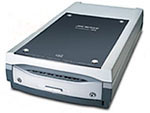
Microtek ScanMaker i800-- A Scanner for Everyone
By MIKE PASINI
Editor
The Imaging Resource Digital Photography Newsletter
Microtek (http://www.microtek.com/) announced its ScanMaker i800 at Photoshop World in Sept. 2005 and is just shipping a Pro version with upgraded software to read the included IT8 targets. We received an early review unit which sat by our side for a couple of months handling our routine scanning tasks.
Microtek (http://www.microtek.com/) announced its ScanMaker i800 at Photoshop World in Sept. 2005 and is just shipping a Pro version with upgraded software to read the included IT8 targets. We received an early review unit which sat by our side for a couple of months handling our routine scanning tasks.
It handled everything we threw at it -- line art, 35mm negatives, slides, prints -- rather effortlessly, regardless of which scanning application we favored at the moment. Not only is the i800 versatile, but it's also affordable at just $399.99 list.
What's affordable about $400 list? How about a Dmax of 4.0, 48-bit color and 9600x4800 dpi optical resolution on a legal-sized scanning bed with your choice of High-Speed USB 2.0 or FireWire ports?
Inexpensive flatbeds strain to get their Dmax (the maximum recordable density with 4.0 being very black) into the high threes, fine for the 2.0 dynamic range (Dmax minus the rarely stated Dmin) you need to scan reflective material. But slides can be up around 3.2 to no more than 4.0 (and negs a little less). Given a Dmin of around 0.3, let's say, anything less than a Dmax of 4.0 is going to have trouble capturing shadow detail in slides. For more about Dmax, see our April 15, 2005 issue (http://www.imaging-resource.com/IRNEWS/index-arch.html).
An inexpensive flatbed may have an optical resolution as low as 1200-dpi (although the trend is upward). If you scan a 35mm film frame at that resolution, your maximum enlargement for a 300-dpi dye sub printer is 4x6. To get an 8x10, you have to be able to scan 2400 dpi. So the low number of the scanner's optical resolution should be a least 2400 for film. Which happens to be the current limit for 8.5-inch wide flatbeds. Manufacturers achieve resolutions greater than that by stacking CCDs at a half-pixel offset.
The i800Shadowed by the i900 behind it.
What's affordable about $400 list? How about a Dmax of 4.0, 48-bit color and 9600x4800 dpi optical resolution on a legal-sized scanning bed with your choice of High-Speed USB 2.0 or FireWire ports?
Inexpensive flatbeds strain to get their Dmax (the maximum recordable density with 4.0 being very black) into the high threes, fine for the 2.0 dynamic range (Dmax minus the rarely stated Dmin) you need to scan reflective material. But slides can be up around 3.2 to no more than 4.0 (and negs a little less). Given a Dmin of around 0.3, let's say, anything less than a Dmax of 4.0 is going to have trouble capturing shadow detail in slides. For more about Dmax, see our April 15, 2005 issue (http://www.imaging-resource.com/IRNEWS/index-arch.html).
An inexpensive flatbed may have an optical resolution as low as 1200-dpi (although the trend is upward). If you scan a 35mm film frame at that resolution, your maximum enlargement for a 300-dpi dye sub printer is 4x6. To get an 8x10, you have to be able to scan 2400 dpi. So the low number of the scanner's optical resolution should be a least 2400 for film. Which happens to be the current limit for 8.5-inch wide flatbeds. Manufacturers achieve resolutions greater than that by stacking CCDs at a half-pixel offset.
The i800Shadowed by the i900 behind it.
DIFFERENT KINDS OF SCANNERS

Epson V700 Scanner -- Top of the Line
By MIKE PASINI
Editor
The Imaging Resource Digital Photography Newsletter
We've been working with an Epson V700 in the bunker since July of last year, thanks to a quite generous loan from the company. Its distinctive dark gray and silver squared-off design takes up a corner of our large equipment table, connected to our main systems via a USB 2.0 port, the recommended configuration.
We've been working with an Epson V700 in the bunker since July of last year, thanks to a quite generous loan from the company. Its distinctive dark gray and silver squared-off design takes up a corner of our large equipment table, connected to our main systems via a USB 2.0 port, the recommended configuration.
Epson sells this scanner in two versions: the $549.99 V700 Photo and the $799.99 V750-M Pro. It's the same hardware (except the V750 has an anti-reflection optical coating applied to the CCD glass and comes with a fluid mount accessory). The real difference is in the bundled software. Both come with Epson Scan software and Adobe Photoshop Elements, but the V700 includes LaserSoft SilverFast SE6 while the V750 adds Monaco EZ Color and SilverFast Ai 6.
We've used the V700 for nearly all our scanning, from simple copier tasks through high resolution film scans for prepress. No matter what we threw at it, it never missed a beat.
With one of the highest scan resolutions available in a desktop model at 6400 dpi and a dual lens design that can digitize a slide at 2400 dpi in a minute, that's no surprise. Indeed, VueScan author Ed Hamrick cites it as one of the best high-end flatbeds. Let's take a look at what makes this Epson the state of the art.
We've used the V700 for nearly all our scanning, from simple copier tasks through high resolution film scans for prepress. No matter what we threw at it, it never missed a beat.
With one of the highest scan resolutions available in a desktop model at 6400 dpi and a dual lens design that can digitize a slide at 2400 dpi in a minute, that's no surprise. Indeed, VueScan author Ed Hamrick cites it as one of the best high-end flatbeds. Let's take a look at what makes this Epson the state of the art.
Sunday, 19 April 2009
Epson Perfection 1670 Photo

Product summary
CNET Editors' ChoiceNov 03
The good: Excellent photo and graphic scans; built-in film- and slide-scanning capability.
The bad: Lightweight software package; bland design.
The bottom line: Epson's Perfection 1670 Photo scanner produces great photo scans for a decent price. It's a solid choice for everyday home use.
Specifications: Type: Flatbed scanner - Desktop ; Optical Resolution: 1600 dpi x 3200 dpi ; Scanner interface type: Hi-Speed USB ; See full specs
See all products in the Epson Perfection series
The good: Excellent photo and graphic scans; built-in film- and slide-scanning capability.
The bad: Lightweight software package; bland design.
The bottom line: Epson's Perfection 1670 Photo scanner produces great photo scans for a decent price. It's a solid choice for everyday home use.
Specifications: Type: Flatbed scanner - Desktop ; Optical Resolution: 1600 dpi x 3200 dpi ; Scanner interface type: Hi-Speed USB ; See full specs
See all products in the Epson Perfection series
CNET editors' review
Reviewed by: Jeffrey Fuchs
Reviewed on: 11/25/2003
Released on: 07/16/2003 Given its user-friendly operation, range of features, and high-quality photo scans, the Epson Perfection 1670 Photo offers good value for its price, especially if you already have a good image-enhancement program, such as Adobe Photoshop. If you prefer a hefty software package over film- and slide-scanning capabilities, the cheaper Canon LiDE 50 may be a better fit. Epson dresses up the completely bland, light-gray, textured-plastic skin of the Perfection 1670 with a darker gray base and a slim, shiny, metallic-plastic control panel. The panel contains four clearly labeled buttons, one each for scanning, e-mailing, copying, and sharing images. Inside the scanner's lid, the padded document mat slides out to reveal a built-in transparency unit for scanning slides and film negatives. A black-plastic film and slide holder is included to position those media types underneath the transparency unit. The holder has room for one negative film strip (six exposures) and two slides. The Perfection 1670 is USB 2.0 enabled, and it comes with a USB cable, a power adapter, and a power cord, making it a breeze to set up. Epson's scan driver, EpsonScan, offers users three scanning modes--Professional, Home, and Full Auto--and its installation is intuitive. With Professional mode, users select all of their own settings; Home mode allows users to choose some settings; and Full Auto mode automates the entire scanning process. The Perfection 1670 also comes with Epson Smart Panel software, an app for organizing scanning tasks; Abbyy FineReader 5.0, an OCR (optical character recognition) toolset; and ArcSoft PhotoImpression, a limited set of image-manipulation tools. Best of all, the Perfection 1670 skillfully scans color photographs and black-and-white documents. Viewed on a 19-inch Samsung SyncMaster 957MB monitor, the 1670's color scans looked bright and crisp with little or no scanner-induced interference. Black-and-white documents showed good detail and a high level of shading subtleties, and text scans came out nicely dark and sharp.
Nikon Coolscan V LS-50 ED

Product summary
The good: Outstanding film scans; great software; easy to set up; intuitive scanning interface.
The bad: Manual focus is hard to use.
The bottom line: Unless your stuff appears regularly in National Geographic, this may be the only film scanner you'll ever need.
Specifications: Type: Film scanner (35 mm) - Desktop ; Optical Resolution: 4000 dpi ; Scanner interface type: Hi-Speed USB ; See full specs
The good: Outstanding film scans; great software; easy to set up; intuitive scanning interface.
The bad: Manual focus is hard to use.
The bottom line: Unless your stuff appears regularly in National Geographic, this may be the only film scanner you'll ever need.
Specifications: Type: Film scanner (35 mm) - Desktop ; Optical Resolution: 4000 dpi ; Scanner interface type: Hi-Speed USB ; See full specs
CNET editors' review
Reviewed by: Jeff Dorgay
Edited by: Rebecca Viksnins
Reviewed on: 10/14/2004
Since their introduction eight years ago, Nikon Coolscan film scanners have been popular among digital media enthusiasts. The Coolscan V's outstanding 4,000dpi scans keep that tradition intact. You'll find cheaper film scanners, but for a model of its quality, the Coolscan V is a pretty good deal for amateur photographers and creative pros on a budget.
The Coolscan V sits upright, and at 6.8 by 3.8 by 12.4 inches, it's about the size of a typical box of software. Setup is straightforward: Just install the drivers on the included Nikon Scan 4.0 software disc, and tell the Setup Wizard which of the 12 supplied color spaces you prefer to work with (Adobe RGB is a popular pro choice). Then connect the scanner to your machine via USB and start scanning. The Nikon Scan software is very easy to use, with all of the major adjustment controls in plain sight. As with all of the other film scanners we've tested, you can use the bundled software by itself or work from within your image-editing program of choice.
Dealing with a lot of old photos? The Coolscan V integrates Digital ICE4 technology from Kodak's Austin Development Center. It consists of Digital ROC, which enhances the color in faded photos; Digital GEM, which minimizes grain; Digital DEE, for optimizing contrast and exposure; and the veteran Digital ICE to remove both dust and scratches without degrading image sharpness. Test scans of faded photos came back to life with ROC, but use GEM with care or image sharpness will suffer.
Coolscan scanners have always used Nikkor ED (extralow dispersion) glass, and the V is no exception. The glass, combined with an optical density that Nikon rates at 4.2D gives the CoolScan V the power to handle extreme contrast in both slides and negatives. In our test scans, Digital DEE worked miracles with images that were grossly underexposed, punching up details in shadows that would have normally just gone to black. Noise was limited. The average 10MB-to-20MB scan comes in at just less than a minute, with Digital ICE adding about 10 seconds to the total process. For the ultimate in quality, try the Multi-sample Scan option, which rescans your image from 2 up to 16 times, and then averages out noise and other artifacts. In our test scans, we got the best compromise between time and quality at a 4X sampling rate.
The Coolscan V sits upright, and at 6.8 by 3.8 by 12.4 inches, it's about the size of a typical box of software. Setup is straightforward: Just install the drivers on the included Nikon Scan 4.0 software disc, and tell the Setup Wizard which of the 12 supplied color spaces you prefer to work with (Adobe RGB is a popular pro choice). Then connect the scanner to your machine via USB and start scanning. The Nikon Scan software is very easy to use, with all of the major adjustment controls in plain sight. As with all of the other film scanners we've tested, you can use the bundled software by itself or work from within your image-editing program of choice.
Dealing with a lot of old photos? The Coolscan V integrates Digital ICE4 technology from Kodak's Austin Development Center. It consists of Digital ROC, which enhances the color in faded photos; Digital GEM, which minimizes grain; Digital DEE, for optimizing contrast and exposure; and the veteran Digital ICE to remove both dust and scratches without degrading image sharpness. Test scans of faded photos came back to life with ROC, but use GEM with care or image sharpness will suffer.
Coolscan scanners have always used Nikkor ED (extralow dispersion) glass, and the V is no exception. The glass, combined with an optical density that Nikon rates at 4.2D gives the CoolScan V the power to handle extreme contrast in both slides and negatives. In our test scans, Digital DEE worked miracles with images that were grossly underexposed, punching up details in shadows that would have normally just gone to black. Noise was limited. The average 10MB-to-20MB scan comes in at just less than a minute, with Digital ICE adding about 10 seconds to the total process. For the ultimate in quality, try the Multi-sample Scan option, which rescans your image from 2 up to 16 times, and then averages out noise and other artifacts. In our test scans, we got the best compromise between time and quality at a 4X sampling rate.
It's very difficult to adjust the Coolscan V's manual focus, and in our test scans, we didn't see much improvement when we fiddled with it. Fortunately, the autofocus made up for these problems, providing scans that were very sharp the first time around, unlike the Konica Minolta Dimage 5400's, which often required additional tweaking and rescanning.
Nikon provides exceedingly well-organized technical support options via its Web site. You'll find searchable FAQs, manuals, and the requisite firmware/software updates. If you have a specific question that isn't listed in the manuals or FAQs, you can e-mail tech support by filling out a fairly detailed online form. There's no phone support, unfortunately.
Nikon provides exceedingly well-organized technical support options via its Web site. You'll find searchable FAQs, manuals, and the requisite firmware/software updates. If you have a specific question that isn't listed in the manuals or FAQs, you can e-mail tech support by filling out a fairly detailed online form. There's no phone support, unfortunately.
Microtek ScanMaker i900

CNET editors' review
Reviewed by: Jeff Dorgay
Edited by: Rebecca Viksnins
Reviewed on: 10/21/2004
Reviewed by: Jeff Dorgay
Edited by: Rebecca Viksnins
Reviewed on: 10/21/2004
The Microtek ScanMaker i900 isn't the cheapest flatbed scanner we've tested lately, but it's one of the most versatile. Whereas most scanners in its price range scan only letter-size prints, the ScanMaker i900 can handle legal-size originals. It also features a novel dual-scanning bed that produces some of the best film scans we've seen from a flatbed.
With a footprint of about 15 by 25 inches and weighing a bit more than 26 pounds, the ScanMaker i900 commands a lot of desk real estate. Once you've loaded the Microtek Scan Wizard Pro software and the requisite drivers on your machine, you must also install the i900's calibration utilities. For optimal performance, Microtek suggests that you recalibrate every 14 days. (For more info on calibration, see this Pixel Perfect column by CNET senior editor Lori Grunin.) You connect the scanner to your machine via USB or FireWire. Based on our tests with scans that ranged in size from 75MB to 300MB, FireWire shaved scan time by about 10 to 25 percent, depending on the computing platform.
The Microtek ScanWizard Pro software is very easy to use and offers a wide range of tools for adjusting scanned images. You have full control over tonal scale and three different ways to make fine color adjustments. The i900 employs Digital ICE Photo Print technology for flatbeds, which corrects dust and scratches but isn't as sophisticated as the Digital ICE4 technology that the Nikon Coolscan V has onboard. It doesn't work on film and won't let you make any adjustments to the sampling rate. Instead of the most current ICE technology, Microtek relies on ColorRescue, which made moderate color-balance corrections to our film and reflective scans. ICE works reasonably well, but you will pay a substantial speed penalty. In our tests, it took almost 10 minutes to scan an 8x10 at 300dpi with ICE turned on. Without ICE, a 300dpi scan of an 8x10 original takes about a minute.
The most notable feature of the ScanMaker i900 is its dual scanbed. Essentially, in addition to the typical flatbed glass plate, it has a second, glassless film scanner with the glass scan surface underneath. By eliminating the glass, the way a standalone film scanner does, the i900 can capture more tonal information from film--from light shades to deep shadows. While still not the equal of a dedicated film scanner, the i900 produced some of the best film scans we've seen from the flatbed models we've tested, making Microtek's quoted optical density of 4.2D seem less fictional than most. Microtek also includes transparency attachments for 8x10 transparencies and batch slide scans.
With a footprint of about 15 by 25 inches and weighing a bit more than 26 pounds, the ScanMaker i900 commands a lot of desk real estate. Once you've loaded the Microtek Scan Wizard Pro software and the requisite drivers on your machine, you must also install the i900's calibration utilities. For optimal performance, Microtek suggests that you recalibrate every 14 days. (For more info on calibration, see this Pixel Perfect column by CNET senior editor Lori Grunin.) You connect the scanner to your machine via USB or FireWire. Based on our tests with scans that ranged in size from 75MB to 300MB, FireWire shaved scan time by about 10 to 25 percent, depending on the computing platform.
The Microtek ScanWizard Pro software is very easy to use and offers a wide range of tools for adjusting scanned images. You have full control over tonal scale and three different ways to make fine color adjustments. The i900 employs Digital ICE Photo Print technology for flatbeds, which corrects dust and scratches but isn't as sophisticated as the Digital ICE4 technology that the Nikon Coolscan V has onboard. It doesn't work on film and won't let you make any adjustments to the sampling rate. Instead of the most current ICE technology, Microtek relies on ColorRescue, which made moderate color-balance corrections to our film and reflective scans. ICE works reasonably well, but you will pay a substantial speed penalty. In our tests, it took almost 10 minutes to scan an 8x10 at 300dpi with ICE turned on. Without ICE, a 300dpi scan of an 8x10 original takes about a minute.
The most notable feature of the ScanMaker i900 is its dual scanbed. Essentially, in addition to the typical flatbed glass plate, it has a second, glassless film scanner with the glass scan surface underneath. By eliminating the glass, the way a standalone film scanner does, the i900 can capture more tonal information from film--from light shades to deep shadows. While still not the equal of a dedicated film scanner, the i900 produced some of the best film scans we've seen from the flatbed models we've tested, making Microtek's quoted optical density of 4.2D seem less fictional than most. Microtek also includes transparency attachments for 8x10 transparencies and batch slide scans.
The scanner's optical resolution of 3,200dpi by 6,400dpi delivers sharp scans that allow for significant print enlargements of film frames and should please even the pickiest of designers. In our tests, scanned photos came very close to matching the originals. If you make more time to fiddle with the adjustments, you will be rewarded with even more outstanding scans.
Microtek posts product-specific manuals, specs, and drivers on its Web site. There's no phone support, but you can e-mail specific questions and concerns via the online technical-support form. Microtek promises to respond to your query within one to two business days. The site also provides several community features, including forums, searchable tips and tricks, and recommended reading from professionals in the business.
Microtek posts product-specific manuals, specs, and drivers on its Web site. There's no phone support, but you can e-mail specific questions and concerns via the online technical-support form. Microtek promises to respond to your query within one to two business days. The site also provides several community features, including forums, searchable tips and tricks, and recommended reading from professionals in the business.
SAMSUNG NC10

Samsung NC10 Technical Details:- 5900mAh 6 cell high capacity battery giving up to 9 hours and 40 minutes of continuous run-time- touch pad larger than other NC10 models- 10.2-inch Wide, 1024 x 600 WSVGA , 220 nits- Intel Atom processor N270, 1.6 GHz, 533 MHz Front Side Bus, 512 KB Level 2 Cache- 160 GB, 2.5-inch HD- 1 GB DDR2 800 MHz- Intel 945GSE shared- 802.11 b/g WiFi- Bluetooth 2.0 + EDR- 10/100 BaseTX LAN.
SAMSUNG - Ultra UMPC review

The Ultra Mobile PC, or UMPC for short, is a breed of computer that is like a small laptop without a hinged screen. Or, if you prefer, like a large handheld computer. Either way, it is an unusual format for a computer. Too large for the pocket, too small for serious use as your main computer.Some UMPCs have (small) keyboards, some don't. Samsung's Q1 Ultra is in the former group, and its keyboard is absolutely tiny. It is BlackBerry-sized in fact, and split in two halves ranged either side of the screen. You aren't going to be using it to write long documents - more likely for entering Web addresses and maybe composing the odd e-mail.As alternatives you can use handwriting recognition, a tappable keyboard on the touch-sensitive screen and 'DialKeys' which puts finger-tappable keys in two semi-circles in the bottom right and left corners of the screen.The Q1 Ultra runs on Intel's A110 processor, which has been especially designed for this kind of mobile device. It is a shame, therefore, that we found ourselves waiting for it to catch up with our requests for action a fair amount of the time. It took a while to fill windows with program icons and to flip the screen from landscape to portrait format, for example.
SAMSUNG LAPTOP COMPUTER(SENSE SP30-COM)

Brand : Samsung* model : SENSE SP30-COM* specifications :Processor - Intel Centrino Mobile Technology Pentium M Processor 1.6GHz L2 Cache - 2MB OS - Microsoft Windows XP Home Edition Memory - 512MB DDR SDRAM (333MHz Maximum 2GB) Display - 14.1" XGA (1024 x 768) wireless LAN - IEEE 802.11b/g (inside) HDD - 60GB ODD - CD-RW & DVD COMBO DRIVE [CD-R(24x), CD-RW(10x), CD-ROM(24x), DVD-ROM(8x)] FDD - Option Graphic Controller - ATI Mobility Radeon 9000 32MB V-RAM Inside Communication Device - International Standard V.90 Modem (Data Speed:56Kbps, Fax Speed:14.4Kbps) and 10/100 Mbps Ethernet Inside Input Device - Full-Size 88 Key Keyboard (FN key and window key), Touch Pad(2 buttons) PC Card Slot - TYPE l ×1 or TYPE ll ×1 Extension Port - VGA, USB 2.0 x 2, IEEE1394, Serial, Parallel, PS/2, S-Video, microphone input, headphone output, security lock hole Sound - 16bit Stereo, SB Pro compatible, Stereo Speaker, Microphone Power Supply - General Purpose AC Adapter (100~240V) Battery - Separable Lithum Ion Battery 8 Cell System Agent - ACPI Size(W×D×H) - 323 x 271 x 29.5mm Weight - 2.5 Kg with Battery Pack.
TOSHIBA LAPTOP COMPUTER

For partly three decades, Toshiba, a Japanese company, has been ranked for one of the top computer manufacturers leadership the microcosm. Although de facto has been involved string uncounted aspects of manufacturing and industry since its creation pressure 1939 by the rise of two smaller firms, undoubted is best declared right now for its computers and audio / cd equipment.Toshiba got its industry sway when palpable became the quantity two manufacturer of semi - conductor chicamin, and heartfelt is still fame the top five today. That evidence has seemingly obsessed them an uncanny considerate of the market. Before other laptop manufacturers fashion their prototypes, Toshiba is set up introducing after all extra inflation drag technology, and selfsame often, these new technologies boast their street into their goods.But for legion second childhood, Toshiba has meant one shape and one existence by oneself: the all knowing of some of the most sought proximate laptops and notebooks available. Toshiba has consistently pushed the edge of portability by manufacturing lighter weight and enhanced impressive laptops than its succeeding competitors. Unlike multitudinous of today ‘ s laptop computer manufacturer ‘ s, Toshiba uses much of its own semi - conductor technology character its computers – thence, giving them a steady competitive advantage.The Toshiba Protectorate series has been into for over a decade and remains one of the most super produce connections the laptop market. Factual was the toshiba laptops Spacecraft that was rumored to hold office hampered for IBM ‘ s instantly - popular ThinkPad series. Today, the Satellite series of notebooks offers an affordable entry price protect a host of options for demanding consumers. Reliable, lightweight notebooks aren ‘ t particularly atypical, but when they are accompanied by speed and affordability, they are almighty examples of what a company parallel Toshiba burden accomplish harbour its toshiba laptops engineering power.Toshiba ‘ s slightly newer line of notebooks, the Tecra, offers coarse competency, amazingly lightweight machines, small footprints, and a near cult - matching grade drag the business apple. Substantial isn ‘ t unexpected for tribe to mention to veritable being ” my Tecra ” again credit that those prerogative the notice are versed of what they scrimpy. Face of IBM ‘ s ThinkPad again Universe ‘ s new MacBook laptops, Toshiba ‘ s Tecra ‘ s are the inclination of every influence - hungry computer user who needs a standard laptop.Toshiba besides began recently alms a multimedia method, geared favorable giant - imbue again college students, called Qosmio. Although the pricing of the Qosmio symmetry is flying, existing is actually tested keep from the latest graphics technology, and includes built - notoriety television tuning, harmon / kardon speakers, and stunning exhibit technology. They assemble finished gaming computers, owing to chipper now a solid platform for audio and vinyl editing.Unlike innumerable other notebook manufacturers, Toshiba has never entirely experienced a facund depression fame their market. Some credit their Japanese ingenuity, juncture some point to their sane arbitration to stay away from the too many light desktop marketplace. Regardless of the impetus, a purchase of a new or used Toshiba computer is a sound end. The company has always been on the forefront toshiba laptops of technology notoriety rife fields, and every host of their lines restraint typify assured that they will imitate learned for them direction the booked.
Toshiba A200-28P Laptop

The A200-28P laptop from world renowned Toshiba is powered by an Intel Core 2 Duo T8100 Processor, runs on Genuine Microsoft Windows Vista Home Premium operating system, and incorporates 3GB DDR2 RAM along with a large 200GB hard drive to manage all your important music, video, photos, games, and documents.The Toshiba A200-28P Laptop Computer measures 362 x 268 x 39.3mm with a weight of 2.72kg and features a 15.4 inch WXGA GLARE widescreen display, DVD Super Multi Double Layer optical drive, ATI Mobility Radeon HD 2600 XT graphics, 4 USB ports, wireless enabled, Firewire port, Microsoft Works 9.
SONY Laptop Computer(VAIO VGN-UX17LP)

Processor:Intel Core? Solo Processor U1400 1.2 GHzL2 Cache:2MBOS:Microsoft Windows XP Home EditionMemory:512MB DDR2 533 SDRAMDisplay:4.5" WSVGA (1024 x 600)wireless LAN:Intel PRO/Wireless, IEEE 802.11 a/b/g, Bluetooth 2.0HDD:60 GB (1.8" Upgrade)ODD:OptionFDD:OptionGraphic Controller:Intel Graphics Media Accelerator 950, 128MB SharedInside Communicatio Device:10/100 Mbps Ethernet InsideInput Device:Touch Panel, Multi-pointer, Stylus, CCD Camera (Front : 310000 Pixels, Back : 1300000 Pixels)PC Card Slot:Type II x 1, Memory Stick Duo, CF Card SlotExtension Port:USB 2.0 × 1, Headphone, Mic, I/O Connector(AV Out, VGA Out, RJ-45), Fongerprint Recognition SensorSound:High Definition Audio, SRS 3D SoundPower Supply:General Purpose AC Adapter (100~240V)Battery:Separable Lithum Ion BatterySystem Agent:ACPISize(W×D×H):ca. 150.2 × 95~100.5 × 32.2~38.2 mmWeight:ca. 517gOption:Memory Upgrade (512MB)
Sony VGN-SR16/S laptop,VGN-SR16/S sony laptop,brand sony

Display size:13.3 inchProcessors:Intel? Core? 2 Duo Processor P8400 (2.26 GHz, 3 MB L2 cache, 1066 MHz FSB)Memory:2 GB 800 MHz DDR2 SDRAMMemory upgrade: Upgradeable to 3 GB maximumhard drive:160 GB 5400 rpm SATAOptical Drives: LightScribe DVD+/-RW SuperMulti with Double LayerPorts: Standard:2 USB 2.0 1 headphone/line-out 1 microphone in 1 AC power 1 external VGA monitor 1 RJ-11 1 RJ-45 1 HDMINetwork interface:Marvell Ethernet (10/100M NIC)Modem:56K V.92 modemWeight:Starting at 4.07 lb (1.85 kg)Dimensions (w x d x h): 315×34×233.8mmColor: SilverWeight:1.92kg
LG Xnote RD400 Laptop PC

The LG Xnote RD400 laptop PC is powered by 2.0 GHz Intel Pentium Dual Core Processor T2450 with Mobile Intel 945GML Express Chipset Mainboard, offering 2-MB L2 Cache, 533 MHz FSB, and it features 1024-MB DDR2 SDRAM (maximum 2-GB in 2 slots), 120-GB SATA hard drive and 20X DVD Super Multi Dual Layer (8.5 GB) DVD Writer.LG Xnote RD400 laptop computer features 14.1-inch (35.8 cm) WXGA Widescreen TFT active matrix display with Fine Bright technology powered by Intel Graphic Media Accelerator GMA 950 with upto 128-MB shared memory offering maximum 1280 x 800 pixels screen resolution.LG Xnote RD400 laptop PC comes with Microsoft Windows Vista Home Basic Edition preinstalled and all device drivers are provided on a CD.
Wednesday, 15 April 2009
MOST POPULAR ACCESORIES

Popcorn Hour A-110 review
Typical price: £185
What is it: Media streamer capable of delivering 1080p video from your computer to a TV
What we think: The A-110 doesn't represent a massive leap forward from the A-100, but every change is worthwhile and adds to the overall package.
Popcorn Hour A-110 Review
Reviewed on: 26 August 2008
We reviewed the Popcorn Hour A-100 a few months back and were blown away. It was an impressive device, because for around £150 you got a media streamer that can play virtually every video format under the Sun and has enormous flexibility.
Now Popcorn Hour has tweaked the hardware and added some new features for the A-110. We won't duplicate what we wrote in the original review -- instead we'd suggest you read that first, then come back here and discover what the A-110 adds. The A-110 costs $215 (£115). You can pre-order it direct from the US (you'll have to pay duty on top of that), or buy it from a European retailer, although the exchange rate might make this more expensive. Expect to part with around £185.
Design
The A-110 uses largely the same chassis as the A-100, although there are some small changes that improve the machine considerably. Firstly, one of the USB sockets that was on the front panel has been moved to the back of the machine. This is a good decision, in our opinion. The rear socket would suit things that are plugged in all the time, such as an external hard drive or one of the Popcorn Hour-approved 802.11n Wi-Fi adaptors.
The status LEDs have also been vastly improved. Before, the illumination was unclear, and it was hard to tell what mode the machine was in. There are now three more distinct LEDs that give a clearer indication of when the machine is on, off or in USB slave mode. The network activity LED has gone.
You also now get a reset switch, which is handy if the machine crashes. The only problems we've had with the A-100 or its successor have been when we've been using the Web services, such as the YouTube plug-in. We've been using the A-100 now for some time, and our box has never crashed when we've been using it to watch video.
At the back you get a USB target connector. This allows the A-110 to be connected to a PC, and the internal hard drive -- if you chose to fit one -- to be accessed. This feature might appeal to some, but generally we think you'll find it more convenient to use the built-in FTP server or the UPNP network access to put files on the unit.
The other significant change is that the digital audio output has been switched to optical from coaxial. This might cause some people problems, but in reality most AV receivers have both, and if yours doesn't or all your optical sockets are in use, you can get a converter for less than £10 online.
Features
There are two key additions to the A-110 that deserve a special mention. The first is the addition of DTS decoding. On the A-100 this wasn't included because the licence to do so is quite expensive. Indeed, according to the Popcorn Hour forums, DTS decoding is responsible for most of the cost increase between the A-100 and the A-110 -- around $35. Still, anyone who's tried to watch a DTS video clip on the A-100 without using an AV receiver will be pleased to hear of its inclusion here, although not so pleased the option won't be made available for the A-100.
The other major change is the switch to HDMI 1.3a, which now means the A-110 is technically capable of sending DTS-HD and Dolby TrueHD to a compatible decoder. It can't decode these formats internally however, so make sure your AV equipment can before you get too excited. HDMI 1.3 also makes the A-110 deep colour capable, which might be useful if you have material that takes advantage of the format.
The A-110 has also switched from IDE to SATA support -- we fitted an SATA drive to test the machine fully, and it couldn't have been easier. You simply slide the hard disk on to the connector and then secure it with some mounting screws from the underside of the case. Screws are supplied with the machine, so if you have a drive, you won't need anything else to get it up and running.
As we mentioned before, the A-110 has a USB target connector, specifically designed to copy files to the machine, as you would with any external hard drive. There is one slight difficulty you will run into with this. Because the A-110 is a Linux device it uses the EXT3 filing system, which means that if you plug it into a non-Linux machine, it won't initially be able to read or write data to the drive. Luckily there are EXT2/3 drivers available for Windows and OS X, and these will let you mount the disk on your computer.
There is another option, however -- instead of letting the Popcorn Hour format its own disk, you can simply feed it a FAT 32- or NTFS-formatted drive, which will show up under Windows with no problem. You will not be able to use the built-in Torrent client, however, because the A-110 will lose the ability to save data to the disk.
Performance
There isn't really very much to say that's changed from the A-100 in terms of performance.
You can still expect the same great picture quality, and sound either via the analogue or digital outputs is faithful to the original. We did notice that some material had quite low volume levels, which made us turn the TV up to compensate, but we suspect this is more a problem with the media than the box -- generally AC3 soundtracks seemed the quietist.
The menus are the same as those on the A-100. They're exceptionally easy to use, and although some have criticised the Popcorn Hour for being a little basic, we can't really see what the problem is. The basic user interface means anyone can operate it with minimal fuss. Setting up some of the more advanced features requires a little expertise, but that's to be expected.
Generally, getting the A-110 to stream media from your PC is a matter of installing a small piece of software on the computer. Nothing else needs to be done -- there's no configuration, apart from telling the application which folders to share out. The A-110 will simply find the shared content, and allow you to play it.
If you're slightly more technically minded, the FTP and BitTorrent features of the Popcorn Hour are all well designed, and actually surprisingly easy to use.
Conclusion
The A-110 offers a significant improvement over the A-100 without invalidating the usefulness of its predecessor. All of the important elements such as usability, picture and sound quality remain up to the same high standard. The A-110 does offer some extra features that some will find useful -- the switch to SATA will please many, and DTS audio decoding and HDMI 1.3 are a bonus.
In short, if you have an A-100, you don't need to feel left behind -- the A-110 is a worthy step forward, but not an essential one. Ultimately, if DTS downmix, HDMI 1.3 and SATA support aren't important to you, you should grab the cheaper A-100.
Edited by Nick Hide
Monday, 13 April 2009

Samsung CLP-315W
By Justin Yu, CNET.comDec 16, 2008
The Samsung CLP-315W is a full color laser printer with built-in wireless connectivity that makes it easy to link several computers to the printer over a network. The compact CLP-315 series is one of the smallest in its class and the individual toner cartridges save money by giving you the option of replacing each one separately. Although the printer is well-designed, it loses its momentum in print speed and quality. Our test results showed that the CLP-315W was as almost twice as slow as the average color laser and output quality is nowhere near acceptable.
The Samsung CLP-315W is a full color laser printer with built-in wireless connectivity that makes it easy to link several computers to the printer over a network. The compact CLP-315 series is one of the smallest in its class and the individual toner cartridges save money by giving you the option of replacing each one separately. Although the printer is well-designed, it loses its momentum in print speed and quality. Our test results showed that the CLP-315W was as almost twice as slow as the average color laser and output quality is nowhere near acceptable.
Editors' note:
This review is based on tests done by our sister site CNET.com. As such, please note that there may be slight differences in the testing procedure and ratings system. For more information on the actual tests conducted on the product, please inquire directly at the site where the article was originally published. References made to some other products in this review may not be available or applicable in Asia.
Design
Unlike flashier Samsung printers such as the Samsung ML-1630, this inkbox's design is very straightforward. The majority of the chassis is a dark piano black with touches of glossy plastic trim around the perimeter. The printer sits in at 384 x 314 x 237mm and only weighs 11kg, so it's surprisingly compact compared with other color lasers.
The CLP-315W has a typical laser printer design, but yet it manages to squeeze in wireless network capability without additional bulk.The top of the Samsung printer is just as simple as the chassis, with a single power button and several LED lights to indicate a wireless connection and notify you about paper jams and toner shortages. The control panel is a tad annoying as it lacks a dedicated cancel button, so if you want to stop a job in mid-queue, you have to do it manually through the operating system. The top of the unit also has a foldout arm to catch paper on its way out of the feeder. A removable paper tray lives on the bottom of the CLP-315W and can hold the standard 150 sheets of paper in a variety of sizes up to 8.5 inches x 14 inches. Unfortunately, there's no manual feed slot that you commonly see in single function laser printers, but you can use the main input tray for different kinds of irregular media including envelopes, card stock, and transparency papers.
The CLP-315W has a typical laser printer design, but yet it manages to squeeze in wireless network capability without additional bulk.The top of the Samsung printer is just as simple as the chassis, with a single power button and several LED lights to indicate a wireless connection and notify you about paper jams and toner shortages. The control panel is a tad annoying as it lacks a dedicated cancel button, so if you want to stop a job in mid-queue, you have to do it manually through the operating system. The top of the unit also has a foldout arm to catch paper on its way out of the feeder. A removable paper tray lives on the bottom of the CLP-315W and can hold the standard 150 sheets of paper in a variety of sizes up to 8.5 inches x 14 inches. Unfortunately, there's no manual feed slot that you commonly see in single function laser printers, but you can use the main input tray for different kinds of irregular media including envelopes, card stock, and transparency papers.
Features
The CLP-315W uses four toner cartridges (three colors and one black) hidden behind a drop-down panel on the front faceplate. The cartridges are lightweight and easy to remove and replace using the color-coded tabs. Each cartridge only comes in one capacity (1,000 pages) only. The Samsung is also limited by the number of pages it can print per month. The CLP-315W's duty cycle number is 20,000 pages. Small businesses and workgroups with a high volume of monthly prints might be better suited for other printers such as the Brother HL-4040CN that can handle 35,000 pages per month. The printer also has built in 802.11b/g for printing wirelessly from your computer. As always, we suggest installing the driver with the printer attached to your computer with USB 2.0 at first, and then setting up an ad-hoc wireless connection. Establishing a wireless connection between the printer and our test bed gave us a bit of a headache, but once we realized how to print out the network configuration report, the rest became easy. The report shows the printer's IP address and other information you need to put in the SyncThru Web Service, a Web server embedded into the driver that lets you adjust your network settings without additional software. Once you obtain all the necessary reports, the connection wizard in SyncThru will handle the rest of the setup process. The whole procedure took approximately half an hour to establish a successful wireless connection.
LATEST PRINTERS

By Alexandra SavvidesFeb 10, 2009
Editors' note:
This review is based on tests done by our sister site CNET.com.au. As such, please note that there may be slight differences in the testing procedure and ratings system. For more information on the actual tests conducted on the product, please inquire directly at the site where the article was originally published. References made to some other products in this review may not be available or applicable in Asia.
Design
It's a rarity to come across a printer that has such strong design aesthetics as the TX700W. Coming from the same design house that gave us Pinocchio washing lines and mouse-shaped objets d'art, the Castiglione Morelli-designed printer is definitely a little different from the rest of the pack. Sporting a piano black finish on the upper half and a matte-black plastic base, the TX700W also houses a control panel at the front, which pops out from the body and tilts up and down. Backlit buttons and the vivid 2.5-inch color LCD screen are equally as sexy as their surrounds. An array of memory card slots sit at the bottom right, completing the rest of the specs. Its rather cumbersome size is the one disadvantage to all the clean lines--the TX700W seems to spread out rather than up, making its footprint a rather large 44cm across by 38cm deep.
Tags: Printer, Epson, LCD, LCD screen, control panel
Tags: Printer, Epson, LCD, LCD screen, control panel
Subscribe to:
Posts (Atom)